Machines home and machine pages
Home
The home page of Site Monitoring is the Fleet Monitoring home with the words of a construction company: Le tue macchine (your machines) at the top and Macchine (machines) as the first KPI. The machine list, the search, the KPI filters, the fleet map and the latest tracking events work in the same way.
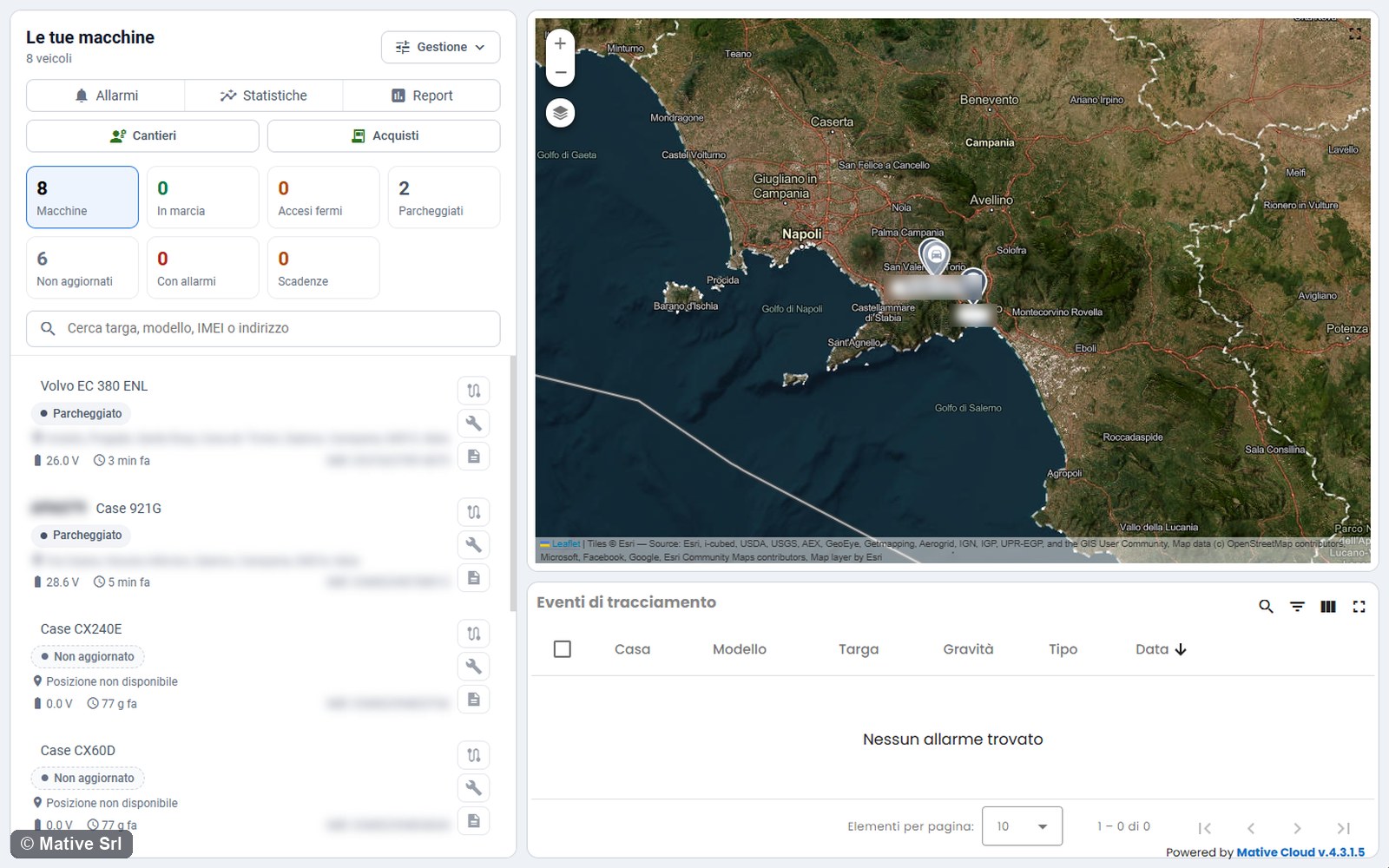
Buttons at the top
| Button | Opens |
|---|---|
| Allarmi | The alarm centre for all the machines |
| Statistiche | The statistics |
| Report | The reports: route history and machine list |
| Cantieri | The Construction Sites module |
| Acquisti | The Purchases module. Only managers see it. |
Machine status
The status of each machine (In marcia, Acceso, fermo, Parcheggiato, Non aggiornato) is the same as in Fleet Monitoring: see the vehicle statuses. A machine is Non aggiornato (not updated) when its tracker has sent no data for more than 12 hours (default value).
Machine page
Click a machine in the list to open its page. The header is the one of the Fleet Monitoring vehicle page, without the rental status: name and model, status, time of the last data, last address and the Comandi (commands) menu with the remote commands available for the machine.
The trackers have a safety measure: the engine lock is activated only when the engine is off.
Tabs
| Tab | Content |
|---|---|
| Panoramica (overview) | Live values, route of the day, charts; for some machines, their own page (see below) |
| Lavori (works) | The works of the machine: in progress, to do and the last ones ended |
| Acquisto (purchase) | The purchases of the machine, with deadlines and documents. Only managers see it. |
| Percorsi (trips) | Trips and replay |
| Allarmi (alarms) | Alarms of the machine |
| Scadenze (deadlines) | Deadlines |
| Dati veicolo (vehicle data) | Machine record |
| Dispositivo (device) | Tracker, geofences and battery health |
Overview
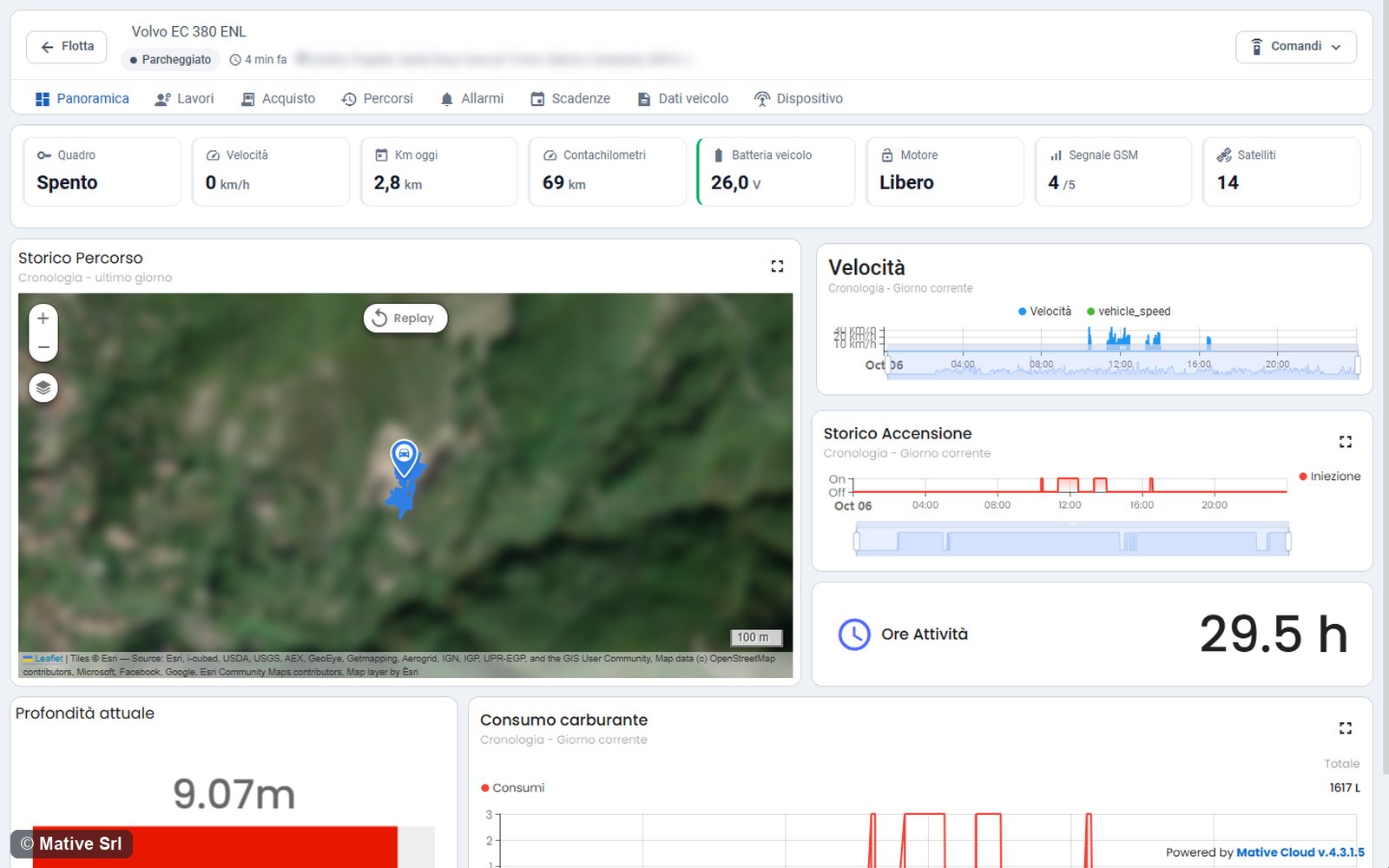
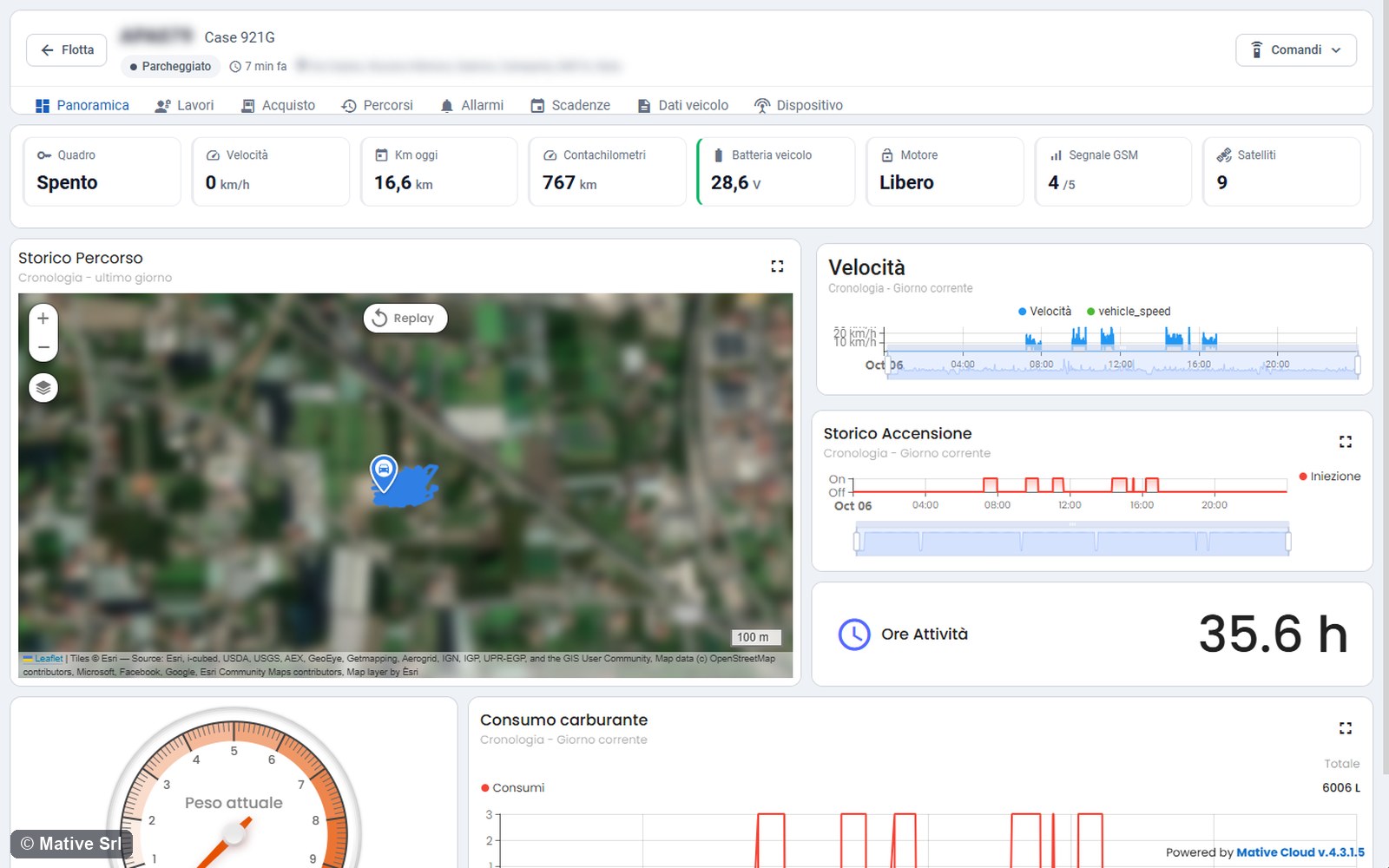
The Panoramica tab shows the live values of the machine, as in the Fleet Monitoring vehicle page, and these charts:
- Storico Percorso (route history): the route of the day and the last position;
- Velocità (speed);
- Storico Accensione (ignition history): when the engine was on;
- Ore Attività (activity hours);
- Consumo carburante (fuel consumption): an estimate based on the time with the engine on.
Machines with their own overview
Some machines have their own Panoramica, with the same charts and, in addition, the values of their sensors:
| Machine | What you see in addition |
|---|---|
| Excavators | Profondità attuale (current depth) of the bucket, on a bar from 0 to 10 m |
| Loaders with a scale | Peso attuale (current weight) in the bucket |
The weighings and the depths of a work are recorded in the work itself: see Works and KPIs by machine type.